How it works
Add your products
Enter each item with its price and current stock once, so every sale has something accurate to update.
Record sales at the counter
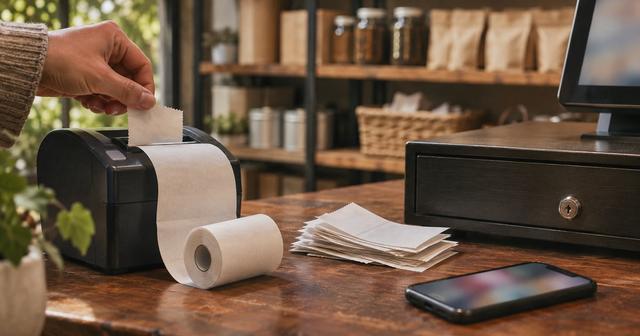
Ring up what the customer buys from the dashboard. Sales save on the phone, with or without internet.
Watch stock levels
Stock drops with each sale, and Cela alerts you before an item runs low so you can reorder in time.
Read your daily report
Check the day's sales at a glance, see what's selling, and log expenses alongside your budget.
If you run a small retail shop, you know the end-of-day routine: count the drawer, flip through the notebook, and try to work out why the numbers don't quite match (they rarely do on the first try). A retail shop POS system replaces that guesswork with one record of every sale and every item. Cela does that from your iPhone, and it keeps working when the internet doesn't.
Who it's for
Cela is made for owners and managers of small retail shops who want proper records without buying a counter terminal:
- Provisions and convenience shops selling many low-priced items, where stock runs out quietly.
- Boutiques and fashion sellers who need to know which pieces move and which sit.
- Phone accessory, cosmetics and household goods shops with lots of small items to keep counted.
- Market stalls, pop-ups and individual sellers with no fixed counter and unreliable signal.
- Shops moving off spreadsheets or a sales notebook who want something simple enough to use on day one, whether or not they've used a POS before.
Kindly note what Cela isn't: a multi-till system for a large supermarket. If you have many fixed checkouts and staff, a traditional counter POS may suit you better.
A worked example
Let's take a small cosmetics shop on an ordinary Saturday. The figures are an example to show the flow, not real shop data.
Setup (done once). The owner adds three fast sellers:
| Product | Price | Opening stock | Low-stock alert at |
|---|---|---|---|
| Body lotion 400 ml | $7 | 24 | 6 |
| Lip balm | $2 | 40 | 10 |
| Hair oil 100 ml | $5 | 12 | 4 |
Sales through the day. Between opening and closing, Cela records 15 lotions, 22 lip balms and 9 hair oils. The network drops for an hour after lunch; sales keep saving on the phone.
What the owner sees at closing.
- Sales: 15 × $7 + 22 × $2 + 9 × $5 = $105 + $44 + $45 = $194
- Stock left: lotion 9, lip balm 18, hair oil 3
- Alert: hair oil is below its alert level of 4, so it's time to reorder before next weekend.
The owner also logs a $15 delivery fee as an expense, so the day's budget view shows both money in and money out. Next Saturday, they can compare the two days and see whether lotion is consistently the top seller.
That's the whole point: by closing time, you know what sold, what's left and what to reorder, without a single tally mark.
What makes a POS system work for a retail shop
The best retail shop POS system for a small store isn't the one with the most buttons. It's the one you'll actually use for every sale. A few things matter most.
Fast checkout. If recording a sale is slower than writing it down, it won't happen during the rush. A simple dashboard keeps the counter moving and customers served faster.
Stock that updates itself. A POS system for a retail store should reduce stock with each sale. That keeps counts close to reality between full counts. You'll still want a regular check, and our guide on how to do a stock take walks through it in seven steps.
Alerts set at the right level. An alert only helps if it fires early enough to reorder. The reorder point guide shows how to work out that number from your daily sales and supplier lead time.
Offline-first records. For a retail store POS system in an area with an unreliable network, offline matters more than any single feature. A sale you couldn't record is a sale missing from your reports.
Reports you can read in a minute. Daily totals and best-sellers turn records into decisions. Over a few weeks, they also show your inventory turnover, which tells you whether money is stuck on the shelf.
I'm a software engineer, and I build Cela myself under Alic Systems, with exactly these shop problems in mind. If stock is your biggest headache, the stock control page goes deeper on that side, and the product tour shows the screens. Let's get started.
Frequently asked questions
Does Cela work without internet?
Yes. Cela is built offline-first, so you can record sales and manage stock with no connection. That helps shops in areas with patchy signal, market stalls and pop-ups, and any counter where the network drops during busy hours.
What devices does Cela run on?
Cela runs on iPhone only. There is no Android, tablet-only or desktop version at the moment, so it suits shop owners and sellers who already use an iPhone at the counter or want one device for the job.
How much does Cela cost?
Cela Pro is $4.99 per week or $49.99 per year, and both renew automatically unless you cancel at least 24 hours before the period ends. Any free trial and the current plans are shown in the App Store before you pay.
Is Cela a good fit for a large store with many tills?
Cela is designed for small and medium businesses, retailers and individual sellers running their shop from a phone. A large store with several fixed checkouts, barcode-heavy stock and many staff may need a traditional counter POS system instead.